How to Choose the Right Slide Printer for Your Pathology Laboratory
Table of Content
[Hide]
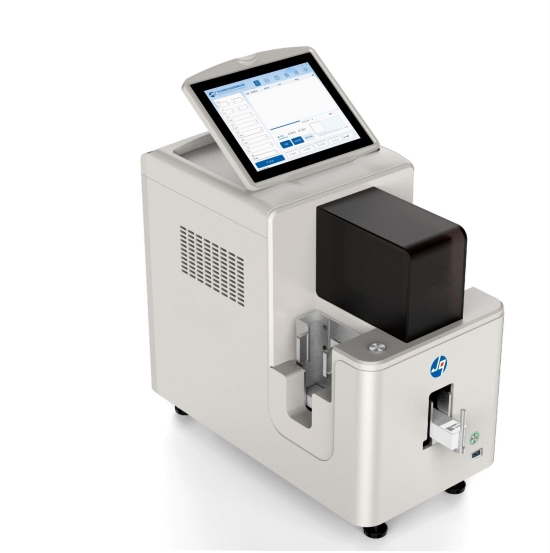
Introduction
For pathology laboratory managers and procurement teams, purchasing a slide printer is no longer simply a matter of replacing handwritten labels with printed identification. As specimen volumes continue to increase and digital pathology adoption accelerates, slide printing has become a critical component of laboratory automation, specimen traceability, and quality management.
A modern pathology laboratory may process hundreds or even thousands of slides every day. Each slide must remain accurately identified throughout tissue processing, staining, coverslipping, scanning, reporting, and long-term storage. Any labeling error can introduce delays, increase labor costs, and create risks that affect diagnostic confidence.
This is why many laboratories are reviewing their slide identification workflows and evaluating whether existing systems can support future operational requirements.
The challenge is not finding a slide printer. The challenge is selecting a solution that aligns with laboratory volume, automation plans, compliance requirements, and long-term growth objectives.
Why More Laboratories Are Investing in Slide Printing Automation
Many pathology laboratories still rely on manual labeling methods because the process is familiar and appears inexpensive. However, laboratory managers often underestimate the operational costs associated with manual identification.
As specimen volumes grow, technicians spend more time writing information, verifying labels, and correcting identification issues. These tasks add labor costs while introducing variability into workflows that are increasingly expected to be standardized and traceable.
At the same time, digital pathology systems, laboratory information systems (LIS), and barcode-based tracking platforms require accurate, machine-readable identifiers. Handwritten labels cannot provide the level of consistency needed for modern laboratory automation.
From a procurement perspective, investing in a slide printer is often less about purchasing another piece of equipment and more about improving workflow reliability, reducing human error, and creating a foundation for future laboratory automation.
Understanding Where Slide Printing Fits Within the Histology Workflow
Before evaluating equipment specifications, procurement teams should understand the role slide printing plays within the overall pathology workflow.
A typical histology workflow includes grossing, tissue processing, embedding, microtomy, slide identification, staining, coverslipping, scanning, and archiving. While slide printing represents only one step in this process, every subsequent workflow stage depends on accurate specimen identification.
If a slide cannot be reliably identified, investments in high-end scanners, automated stainers, and laboratory software systems lose much of their value.
This is why leading pathology laboratories increasingly view slide printers as a critical workflow control point rather than a standalone device.
Workflow Stage | Impact of Accurate Slide Identification |
Sectioning | Ensures accurate slide assignment |
Staining | Supports automated workflow tracking |
Scanning | Enables barcode-based digital pathology |
Archiving | Simplifies retrieval and record management |
Laser Slide Printers vs Thermal Transfer Slide Printers
One of the most important purchasing decisions involves selecting the appropriate printing technology.
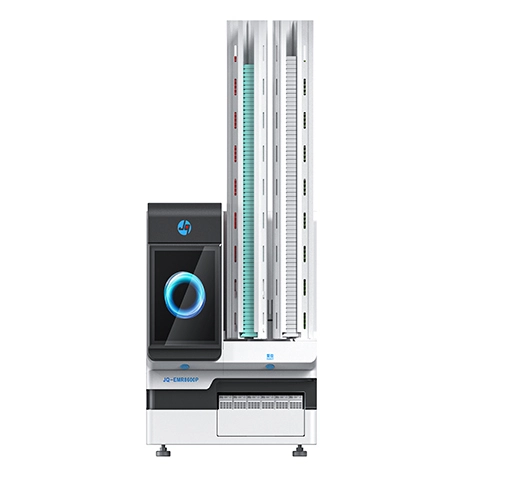
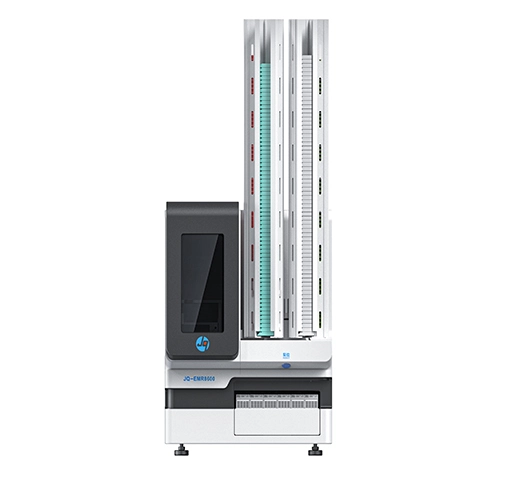
Laser slide printers have become increasingly popular among medium and large laboratories because they provide permanent marking without requiring ribbons or ink consumables. The printed information remains highly resistant to chemicals, staining reagents, and long-term storage conditions.
Thermal transfer systems remain common in smaller laboratories because of their lower initial investment costs. However, procurement teams should evaluate total ownership costs rather than equipment price alone. Ribbon replacement, maintenance requirements, and long-term consumable expenses can significantly influence operational costs over the life of the system.
Comparison | Laser Slide Printer | Thermal Transfer Slide Printer |
Print Permanence | Excellent | Good |
Chemical Resistance | Excellent | Moderate |
Consumables | Carbon filter | Ribbon Required |
Maintenance | Low | Moderate |
High-Volume Operation | Excellent | Good |
Long-Term Cost Efficiency | Excellent | Moderate |
For laboratories planning future automation projects, laser systems are increasingly viewed as the more scalable solution.
Key Questions Procurement Teams Should Ask Before Purchasing
Rather than comparing specifications alone, laboratory managers should begin by evaluating operational requirements.
The first consideration is daily slide volume. A laboratory processing 100 slides per day has different requirements than a facility processing several thousand specimens daily. Throughput, loading capacity, and automation compatibility become increasingly important as volumes grow.
Integration capability is another critical factor. Many laboratories invest in advanced pathology software but overlook whether the slide printer can communicate effectively with existing LIS or LIMS platforms. Poor integration often creates workflow bottlenecks that limit automation benefits.
Barcode requirements should also be reviewed carefully. Modern pathology workflows increasingly depend on Data Matrix and QR code technologies to support specimen tracking and digital pathology initiatives. Laboratories should ensure any slide printing solution supports both current and future identification requirements.
Service support is equally important. Equipment downtime can disrupt laboratory operations, making supplier responsiveness and technical support capabilities important evaluation criteria.
Why Slide Printers Are Becoming Essential for Digital Pathology
Digital pathology is transforming the way laboratories manage diagnostic workflows.
Whole-slide imaging, AI-assisted pathology, remote consultation, and centralized laboratory networks all depend on accurate specimen identification. Digital systems cannot function effectively if slide labeling remains inconsistent or difficult to scan.
As laboratories continue investing in scanners and digital pathology platforms, slide printers increasingly serve as the foundation that connects physical specimens with digital information systems.
For this reason, many laboratory modernization projects now include slide printing automation as an early-stage investment rather than a secondary consideration.
Looking Beyond the Slide Printer
Procurement teams should also consider whether a supplier can support broader laboratory automation initiatives.
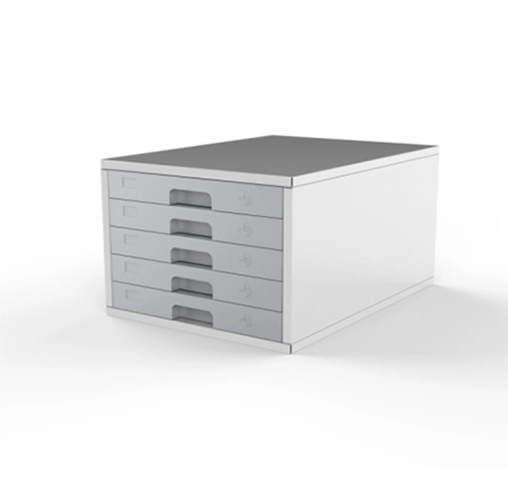
Many laboratories begin by purchasing a slide printer but later require cassette printers, automated stainers, coverslippers, tissue processors, grossing stations, and archive management systems. Selecting a supplier with expertise across the pathology workflow can simplify future expansion and improve system compatibility.
This approach reduces integration risks while supporting long-term laboratory development plans.
Conclusion
The future of pathology is increasingly automated, data-driven, and traceable. As laboratories move toward digital pathology and higher specimen volumes, reliable slide identification has become a critical part of ensuring workflow efficiency and patient safety.
A modern slide printer is no longer simply a labeling device. It serves as a key connection point between specimen processing, laboratory information systems, barcode tracking, and digital pathology platforms.
For laboratories planning equipment upgrades, new laboratory construction projects, or workflow automation initiatives, choosing the right slide printing solution today can create long-term benefits for operational efficiency and diagnostic quality.
Jinquan Medical provides complete pathology laboratory automation solutions, from slide and cassette printing to staining, coverslipping, tissue processing, grossing, and archive management. If you are exploring ways to improve your laboratory workflow, visit JinquanMedical.com to learn more about our solutions or speak with our technical team about your project requirements.